
How to place an international order
Placing an international order for professional cleaning equipment through J.Racenstein is straightforward. This guide walks you through the international order process from cart to confirmation, including how duty and tax are handled upfront so there are no surprises at delivery.
Step 1 — Start Checkout
Add items to your cart and proceed to checkout as normal.
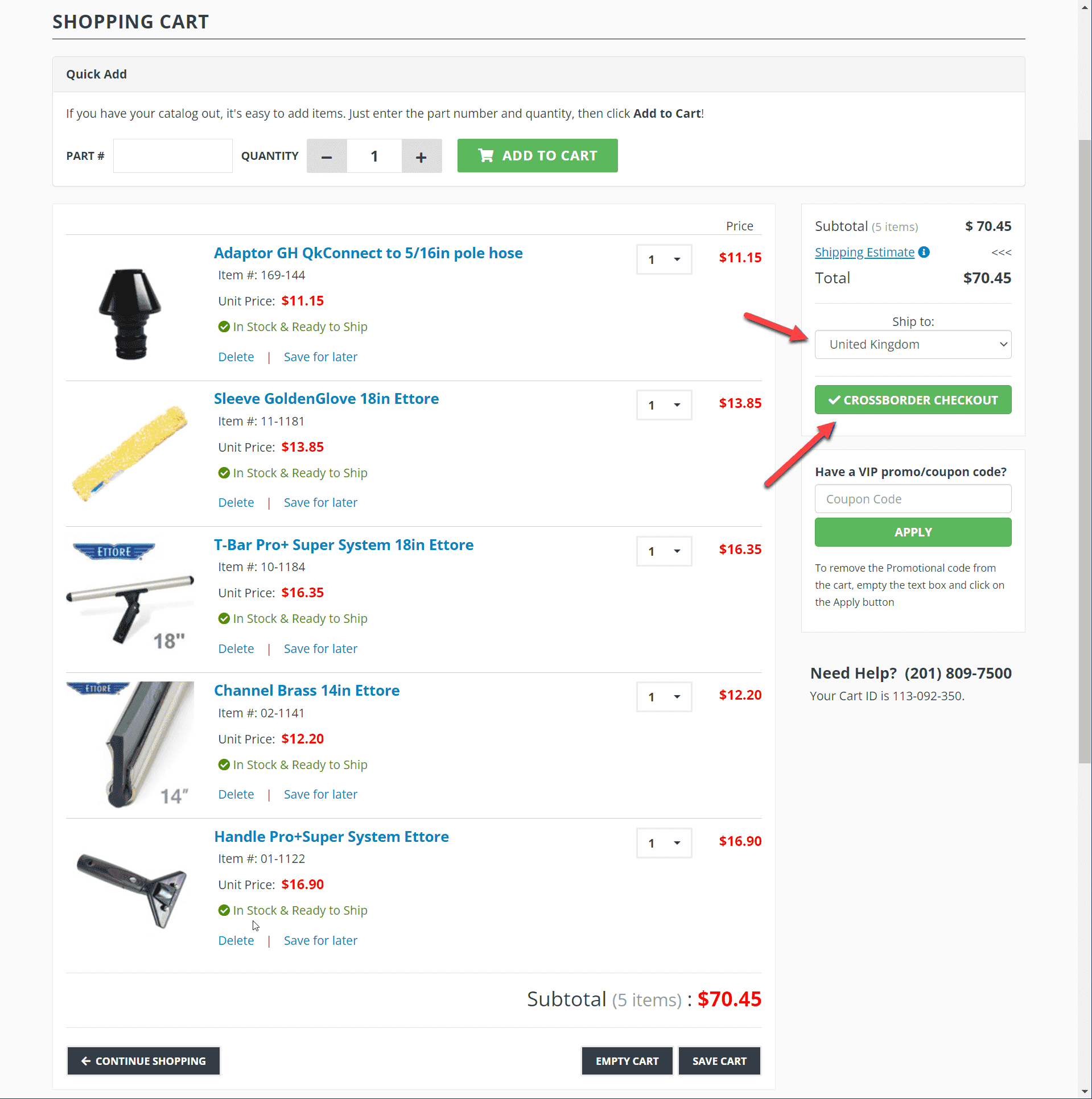
Step 2 — Cart Review for International Eligibility
Your cart is automatically reviewed for international shipping eligibility. If every item qualifies, you move directly to Step 3.
If any items cannot ship internationally, you will see a notification like the examples below. Items marked US & Canada only or US only must be removed or saved for later before you can continue.
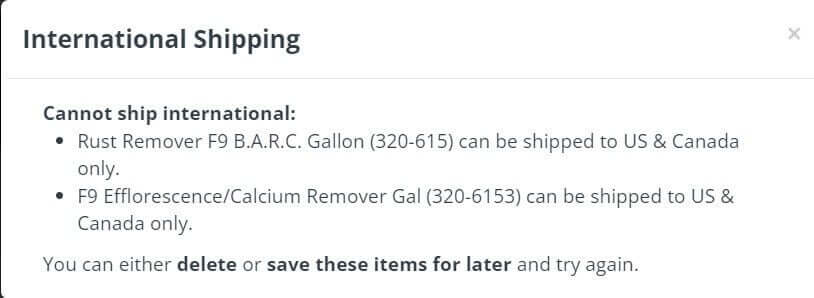
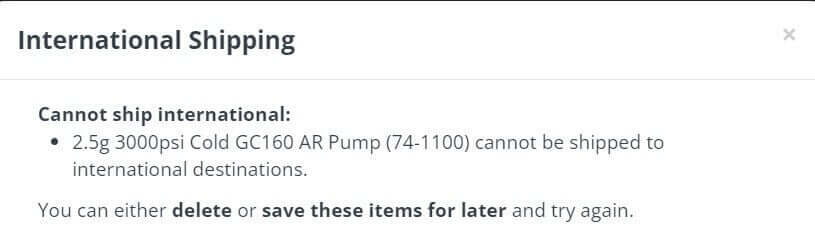
Use Save for Later or Delete to remove ineligible items, then proceed.
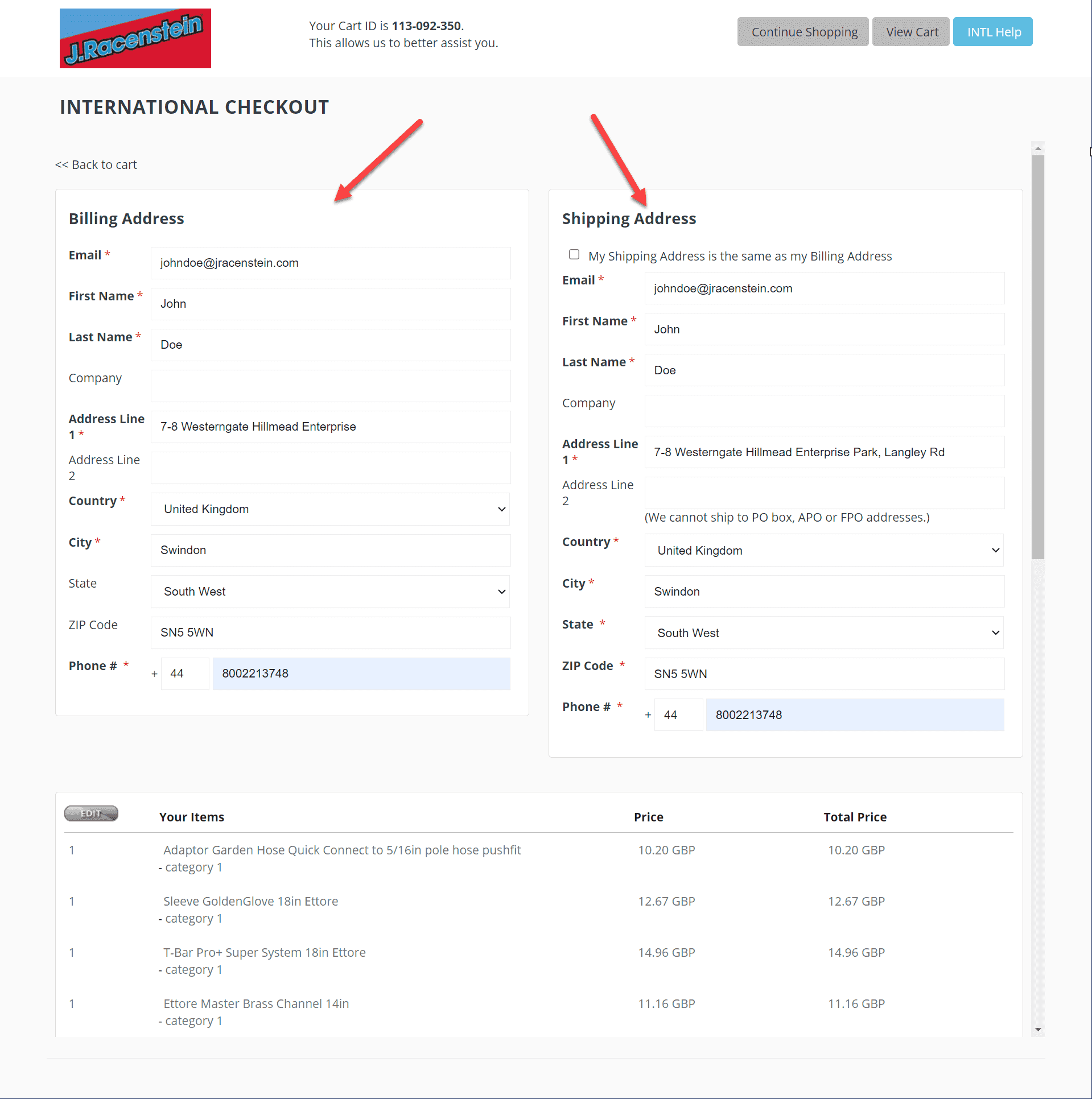
Step 3 — Enter Billing and Shipping Information
Fill in your billing and shipping addresses. If both addresses are the same, enter the information once and check the box indicating your shipping address matches your billing address.
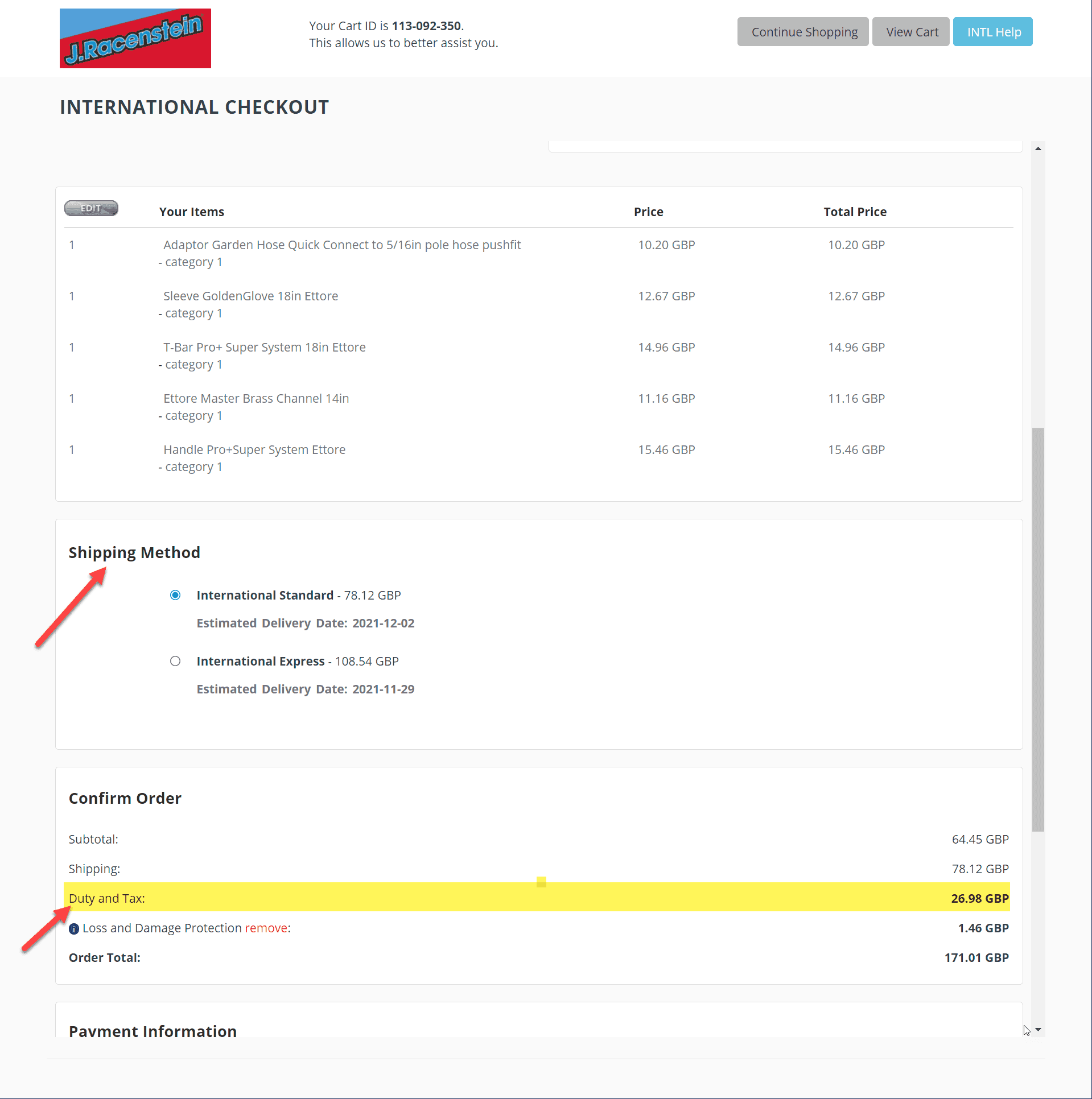
Step 4 — Select Shipping Method
Choose between International Standard and International Express. Duty and tax are calculated at checkout, so the total you see is the total you pay — no hidden fees on delivery. You can also add optional loss and damage protection to the order.
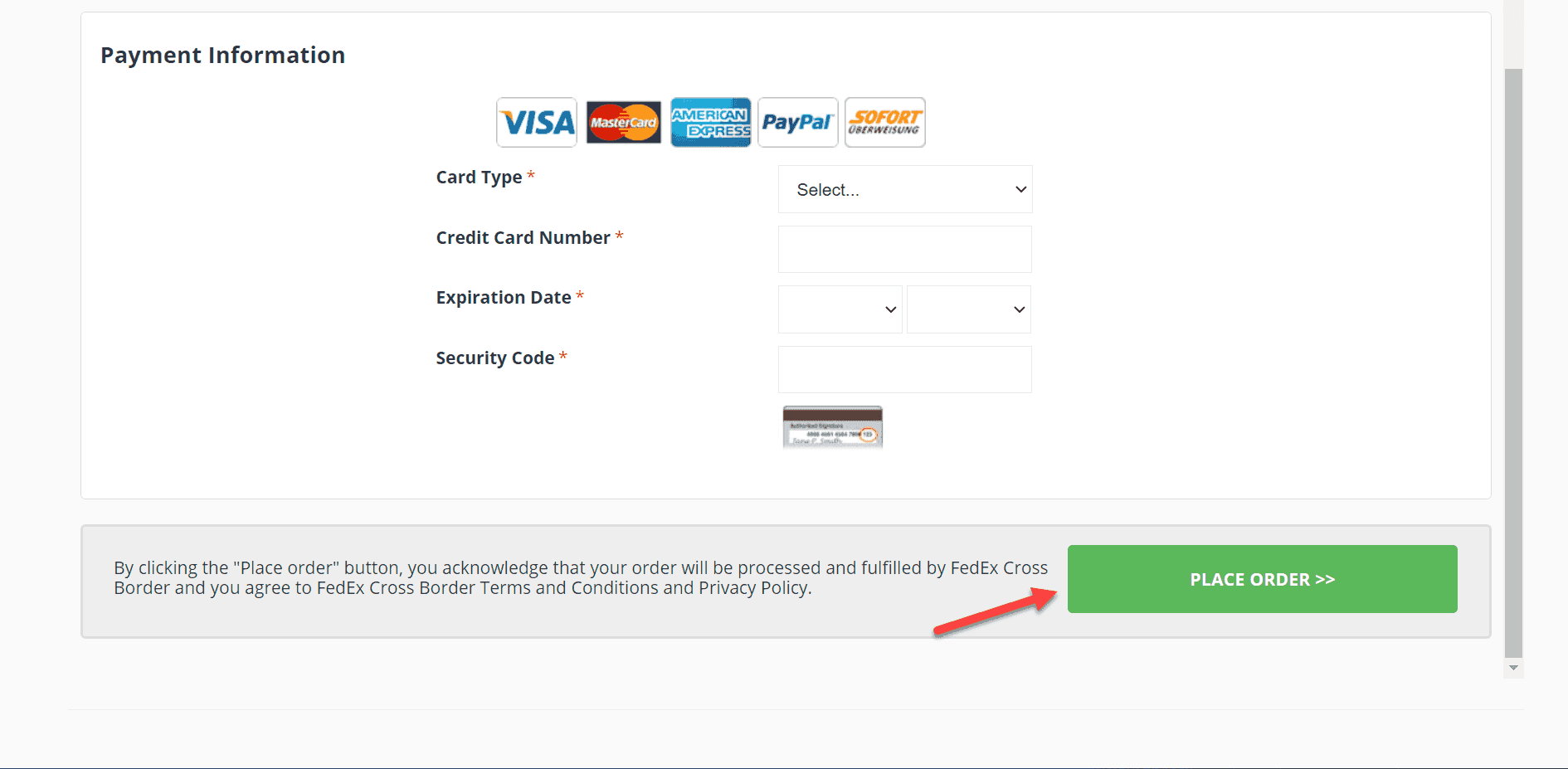
Step 5 — Enter Payment and Place Your Order
Enter your payment information, review the order summary, and click Place Order to finalize.
Tips for International Orders
- Restricted items. Hazardous chemicals, oversized equipment, and certain batteries cannot ship internationally. If an item in your cart is restricted, the system flags it before checkout — you will not be charged for anything that cannot ship.
- Duty and tax included. All import duties and taxes are calculated and displayed during checkout. The price you confirm is the price you pay — no additional charges at your door.
- Damage protection. International shipments travel farther and change hands more often. The optional loss and damage protection is worth considering, especially for fragile items like water fed poles or squeegee equipment.
- Need help? Contact J.Racenstein customer service before ordering if you are unsure whether a specific product ships to your country.